
Start with the places you want to go
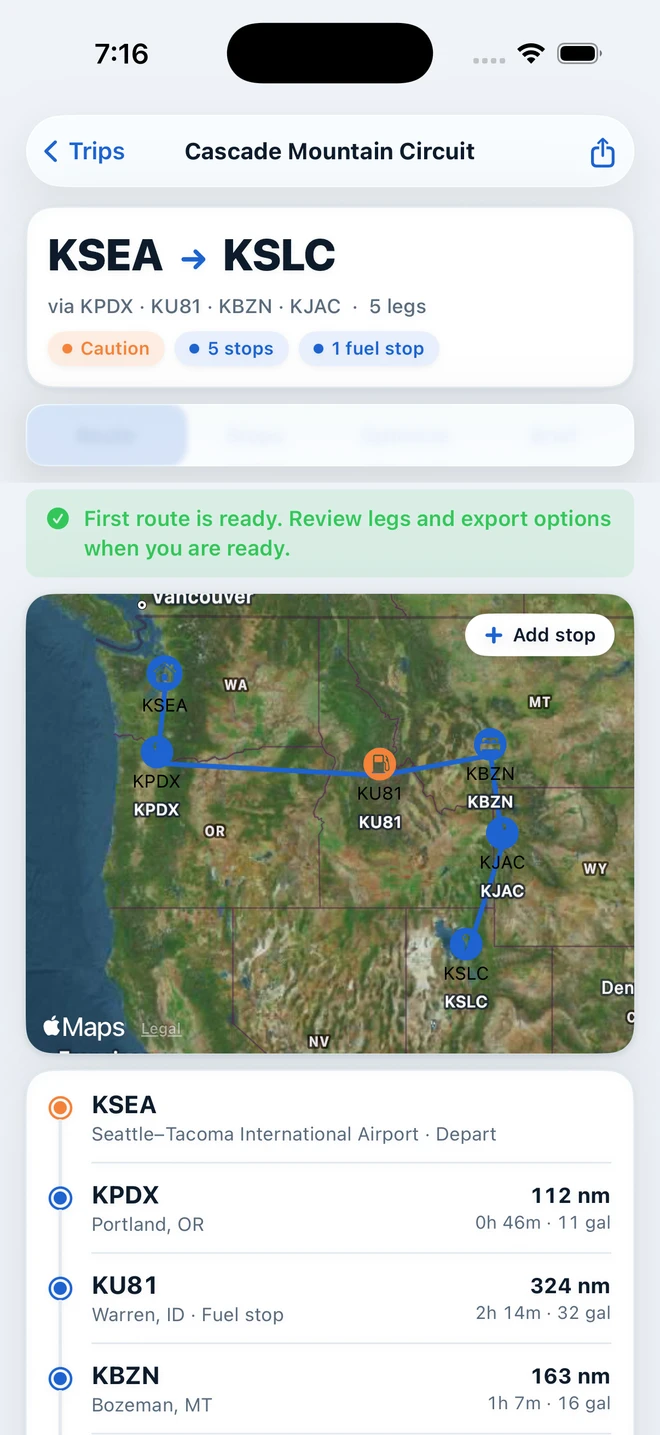
Create a trip, choose a departure, and add your destinations. Search by airport or use a place-based destination to find a planning airport. Select an aircraft profile so the route uses the range, speed, fuel burn, and reserve you want to plan around.
Refine the route as your plans change
Review your trip on the map or in its stop list. Pin the stops you want to preserve, change the order of destinations, and optimize again when the trip changes. Airport preferences let you favorite or avoid airports as you refine the plan.
Give each flying day a sensible shape
Compare shorter, balanced, and longer-day options. See flight time, ground time, fuel stops, and overnights together. Add an overnight or a rest day when you want more time at a destination.
Carry the plan into your next step
Once you have shaped the trip, export a compatible .fpl file for the whole route or one flying day. That gives you a route to review in your established flight-planning workflow, alongside current weather, airport, and airspace information.
One place for your destinations, fuel stops, and flying days.
Buy AeroTrailPaid app. See the App Store for your local price.